
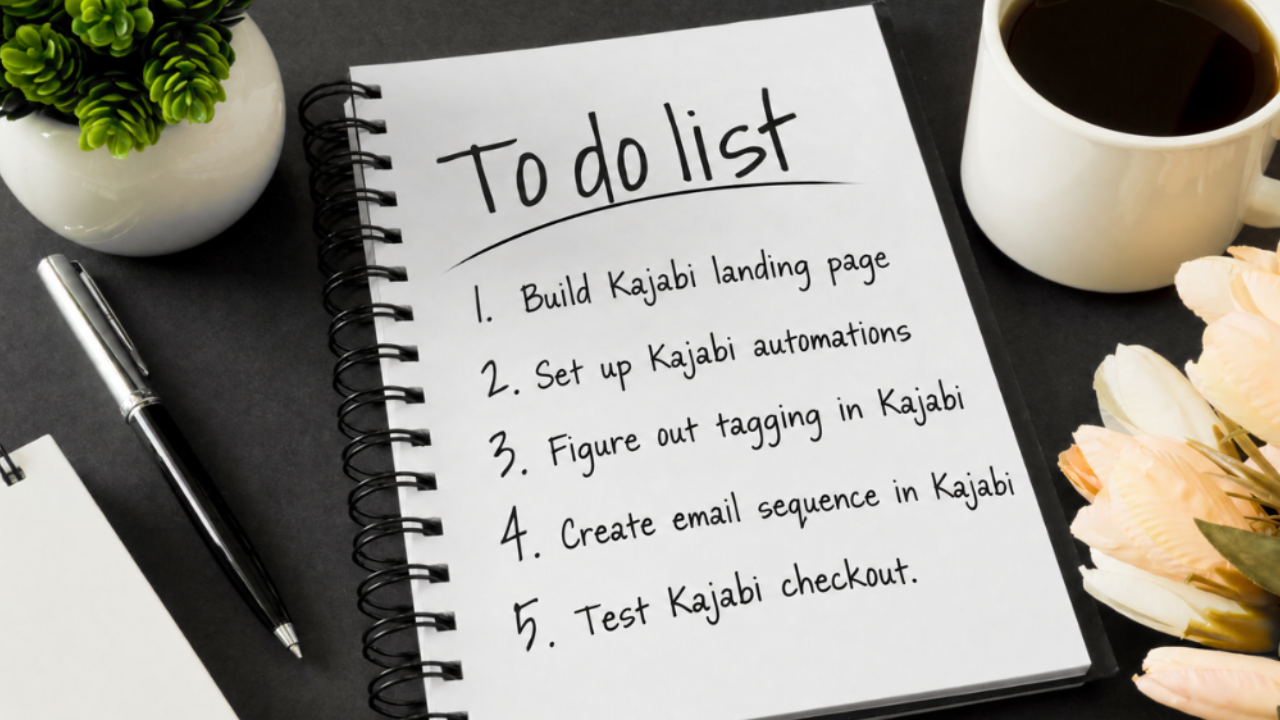
Kajabi Taking Over Your To-Do List? Start Here.
Oct 28, 2026You have a new freebie you want to share. Or a course you've been dreaming about launching. Maybe you're finally ready to turn your knowledge into a paid offer.
You're excited about the idea, but then you open Kajabi.
Suddenly, your to-do list seems to grow by the minute.
You need a landing page, emails, a checkout page, automations, a thank-you page, and about a dozen other things you're not entirely sure how to connect. Before you know it, the thing you were excited to create has become another project hanging over your head.
Sound familiar?
Maybe you've pushed your launch date back for the third time. Maybe you've started setting things up in Kajabi, only to get overwhelmed and close the tab. Or maybe you've built something, looked at it, thought, "This doesn't look right," and decided you're not ready to share it yet.
Meanwhile, you're watching other coaches and course creators launch new offers, grow their email lists, and welcome students into their programs.
And you're wondering, How is everyone else managing to do all of this?
Here's the thing: It's not just you.
Your Kajabi setup is only one piece of your business. You still have clients to serve, content to create, emails to write, and approximately a million other things competing for your attention.
And when something falls outside your area of expertise, it naturally takes longer. You might not know where to start, which pieces you need, or how to make everything work together. Or perhaps you simply don't want to spend your limited time figuring it all out.
That's okay!
You don't have to become a Kajabi expert to run a successful online business. You just need a clear plan for what you're building and a way to get it done.
Imagine having that weight lifted. Your freebie is ready to bring new leads into your business. Your paid offer is set up and ready to sell. Your course portal is organized, welcoming, and easy for your students to navigate.
Instead of another unfinished project on your to-do list, you have a system that supports your business and gives your clients a smoother experience from the moment they discover you to the moment they become paying clients (and beyond).
So, where do you start when Kajabi feels like it's taking over your life?
Let's walk through three steps to help you get organized, figure out what needs to happen next, and make your next Kajabi project feel much more manageable.
Step 1: Figure Out What You're Building First (or Next)
Before you open Kajabi, start by getting clear on what you're actually trying to build.
It sounds simple, but it's easy to jump straight into the tech without thinking about the bigger picture. You start creating a page, realize you need an email, discover that email needs a tag, and suddenly you're five steps down a rabbit hole without knowing whether you're even building things in the right order.
Let's make this easier.
Your customer journey has three big pieces:
1. Leads: Help people discover you
This is where your freebie funnel comes in.
Maybe you're creating a checklist, guide, workbook, mini-training, or another free resource that helps your ideal clients take a first step toward solving a problem.
A freebie funnel gives people a way to sign up for your resource and join your email list. It also creates an opportunity for you to build a relationship with them beyond that first interaction.
Your goal is to make it easy for someone to discover your business, sign up, and receive what they came for. From there, you can work on building the relationship and making offers.
2. Sales: Make it easy for people to buy
Next, you have your paid products and offers.
Maybe you're launching a digital product, selling a workshop, opening enrollment for a course, or creating a new membership program.
You need a way for people to learn about your offer, make a purchase, and access what they've bought. And you want them to be confident that your product is right for them and that you'll take great care of them once they're inside.
A well-connected sales setup helps take someone from "I'm interested" to "I'm in!" without unnecessary confusion or manual work on your end.
3. Service: Deliver what you've promised
Finally, there's the experience people have after they buy.
If you offer a course, membership, or online program, your course portal is where your clients access your content, find their next steps, and engage with your material.
An organized portal helps students understand where to begin, what to do next, and where to find the resources they need. It reassures them that they made a good decision buying from you and that they're exactly where they need to be.
It also gives you a place to deliver your expertise in a way that feels consistent with your brand and the experience you want to create.
Which piece do you need right now?
Take a look at these three areas and ask yourself:
- Do I already have a way to bring new leads into my business?
- Can people easily purchase my paid offers and receive what they've bought?
- Do my students or clients have an organized place to access my programs and resources?
You don't need to build all three at once!
If you're starting from scratch or have a new freebie ready to share, begin with the lead-generation piece. If you already have a working freebie funnel but are launching a paid product, focus on the sales setup. And if you're ready to deliver a course or membership, prioritize the student experience.
Think of this as your big-picture plan. You're identifying what you already have, what's missing, and which piece will make the biggest difference right now.
🌟 How I can help: Not sure which piece of your customer journey you need to focus on first? That's something we can figure out together! We can talk about your business goals, what you're creating, and what you already have in place. I'll help you identify what's missing, determine what makes the most sense to tackle next, and figure out how I can support you in bringing it to life. You don't have to have the whole plan figured out before reaching out. Sometimes, you just need someone to help you see the path forward.
Step 2: Map Out Your System Flow
Now that you know what you're building, it's time to figure out how all the pieces fit together.
One of the biggest reasons Kajabi projects become overwhelming is that people think about each page or email as a separate task.
You create a landing page. Then you wonder what happens after someone signs up. You build a checkout page. Then you realize you need to connect the purchase to the right product. You upload your course content. Then you start wondering whether your students will know where to begin.
Each individual task might seem manageable, but it's the connections between them that can make everything feel complicated.
That's why I recommend mapping out the experience you want your customer to have before you start building.
Think about it from their perspective: What happens first? What happens next? What do they need to see, receive, or do at each stage?
Let's look at what that means for each type of setup.
If you're building a freebie funnel
Imagine someone discovers your business, sees your free resource, and decides to sign up.
What happens next?
Your funnel might include:
- A landing page: Introduces your freebie, explains why it's helpful, and invites people to sign up.
- A sign-up form and tagging: Collects their information and helps you organize subscribers appropriately.
- A thank-you page: Confirms their signup and lets them know what to expect next.
- An email that delivers the freebie: Makes sure they receive the resource they requested.
- A welcome or nurture sequence: Helps you build a relationship with new subscribers and introduces them to your work.
Consider how each piece connects to the next. Does the person receive the right email after signing up? Does the delivery email actually lead them to the freebie? Do your follow-up emails make sense after their first interaction with your business?
When these pieces work together, you create a smoother experience for your subscribers and a more reliable way to grow your email list.
If you're setting up a paid product
Now imagine someone is interested in your offer and ready to buy.
Your setup might include:
- A sales page: Explains what you're offering, who it's for, and how it can help.
- Your offer and pricing: Clearly communicates what the customer is purchasing.
- A checkout page: Gives customers a straightforward way to complete their purchase.
- Purchase tagging and automations: Helps trigger the right actions after someone buys.
- A thank-you page: Confirms the purchase and explains what happens next.
- Product delivery: Makes sure customers can access what they've purchased.
- Follow-up emails: Welcomes new customers, shares helpful information, and points them toward their next steps.
The goal isn't simply to make your sales page look good. It's to make sure the entire purchase experience makes sense and flows smoothly.
Someone shouldn't have to wonder whether their payment went through, where their product is, or what they're supposed to do next.
When the pieces are connected, you can spend less time managing individual transactions (and confused emails) and more time serving your customers.
If you're setting up a course or membership portal
For a course or membership, think about the experience your students will have when they first log in. It should feel like you’re welcoming into your storefront, classroom, or even your home.
They've purchased your program because they want to learn something, solve a problem, or achieve a goal. The last thing you want is for them to feel lost before they've even started.
Your portal setup might include:
- A welcome area: Greets students and helps them feel confident about getting started.
- A clear starting point: Shows them exactly where to begin.
- An organized program flow: Arranges lessons and resources in an order that makes sense.
- Engagement opportunities: Incorporates relevant prompts, discussions, or activities to encourage participation.
- Check-ins and next steps: Helps students understand what to do as they progress through the program.
Think about the questions a new student might have. Where do I start? How does the program work? Where can I find the workbook? What should I do after finishing this module? When are our group calls? How can I get help if I need it?
Your portal should answer as many of those questions as possible before students need to ask them.
The result is an experience that feels organized, thoughtful, and consistent with your brand.
Your customer journey should feel connected
👉 Here's something worth remembering: These three setups don't exist in isolation.
Your freebie might introduce someone to your business. Your emails might build trust and help them understand your approach. Later, they might purchase your course, where they experience your teaching firsthand. Eventually, they might return to buy another offer or recommend you to a friend.
Each step is an opportunity to create a consistent, trustworthy experience.
You don't need to build an elaborate system with dozens of automations. You need the right pieces, connected in a way that supports the experience you're trying to create.
🌟 How I can help: This is a big part of my done-for-you Kajabi work. I help bring the individual pieces together so your landing pages, emails, checkout, automations, and course content work as a connected system. Instead of spending your evenings trying to figure out what needs to connect to what, you can focus on your offer and the people you want to serve.
Step 3: Collect Your Assets and Get Prepared
Before you even log into Kajabi, take some time to gather everything you'll need for your setup.
This might be the least exciting step on the list, but it can save you a TON of time and frustration in the long run.
Why?
Because nothing slows down a project quite like getting halfway through building a page and realizing you haven't written the copy yet. Or searching through five different folders for the right image. Or trying to remember which version of your logo you're supposed to use.
When you're already short on time, these little interruptions add up quickly.
Getting organized beforehand helps you spend less time hunting for things and more time moving your project forward.
What should you gather?
The exact assets will depend on what you're building, but here's a helpful starting point.
1. Your branding assets
Gather your logo, brand colors, fonts, and any other visual elements you use in your business.
Having these in one place makes it easier to create a consistent look across your landing pages, emails, checkout, and course portal.
You don't need to reinvent your branding for every new project. Your new setup should feel like a natural extension of the business you've already built.
2. Your page and email copy
If you're creating a freebie funnel, this might include your landing page headline, page copy, thank-you message, freebie delivery email, and welcome sequence.
For a paid product, you'll want your sales page copy, offer details, checkout information, confirmation message, and customer emails.
For a course portal, gather your welcome message, lesson descriptions, module & lesson names, instructions, links, and any other content students will need.
You don't necessarily need every word polished to perfection before you begin, but having a solid draft will help you avoid unnecessary stops and starts.
3. Your images and content
Collect your freebie PDF, product files, course videos, workbook downloads, headshots, graphics, and any other materials you'll need.
Create thumbnail images for social media, landing pages, videos, and course modules and lessons.
If you're building a course portal, it can also help to organize your content into lessons into modules before uploading everything. This gives you a clearer picture of how the content should flow.
4. Examples and inspiration
Have you seen a landing page that feels clear and easy to navigate? An email that makes you feel welcomed? A course portal that seems especially intuitive?
Save a few examples to reference as you plan your own setup.
These are not meant to be copied. Use it like a mood board or swipe file. They're simply a way to identify what you like and communicate the kind of experience you want to create.
5. Your customer journey plan
Remember the flow you mapped out in Step 2?
Keep it handy.
Having a list of the pages, emails, automations, and delivery steps you need will help you stay focused on the actual project instead of getting distracted by every possible feature Kajabi offers.
Give everything a home
Once you've gathered your assets, put them somewhere easy to access. Personally, I love using a dedicated GoogleDrive folder for this, but you can use whatever system works for you. The specific tool doesn't matter as much as having one reliable place to find everything.
And if you're hiring someone to build your setup for you, this preparation is especially helpful. You can share the relevant assets and information without spending time digging through your files every time a question comes up.
Of course, you don't need to have everything perfectly organized before asking for help. A good done-for-you process should help you identify what's needed and work through any missing pieces.
🌟 How I can help: When I build Kajabi setups for clients, having the right copy, images, and content available helps us move through the project more smoothly. I can take care of the technical build while you focus on the parts of your business that need your expertise. And if you're not sure which assets are needed for your particular setup, I provide a detailed checklist for you to use as you prepare for the build.
The aim is to make this project feel more manageable, not give you another giant to-do list to complete before you're allowed to begin.
But What If You Still Don't Have Time to Do it All?
You might be thinking, "This is helpful, but I'm already overwhelmed. I barely have time to plan the setup, let alone build it!"
I hear ya.
These three steps are designed to help you get clear on what needs to happen. They aren't meant to convince you that you need to squeeze another project into an already-full schedule.
In fact, knowing what needs to be done can help you make a better decision about how to get it done.
Maybe you have the time, ability, and interest to build your own setup once you have a clear plan. Great! You can work through the steps one at a time rather than trying to tackle everything at once.
But maybe you'd rather spend that time creating your content, supporting your clients, or developing the next offer in your business.
That's a perfectly valid choice, too.
You don't have to learn every technical detail simply because your business uses Kajabi.
Sometimes, the best next step is to get clear on what you need and let someone who works with Kajabi regularly handle the build.
That's exactly what my done-for-you Kajabi services are designed to help with. Whether you need a freebie funnel, a paid product and checkout setup, or a course or membership portal, I can take the technical pieces off your plate so you can focus on the work you do best (and actually enjoy!).
You bring the idea and the expertise. You don't have to build every page, connect every automation, and troubleshoot every detail on your own.
Your Next Kajabi Project Doesn't Have to Stay on Your To-Do List
When Kajabi starts taking over your to-do list, it's easy to assume you need to work harder, find more time, or finally figure out every part of the platform yourself.
But you don't have to approach it that way.
Start by identifying which part of your customer journey you're building. Map out how you want the experience to flow and what pieces you'll need. Then gather your assets so you can move forward with less backtracking and frustration.
Those three steps give you a clearer picture of the project and a more manageable place to begin.
And remember what you're working toward.
A freebie funnel that helps bring new leads into your business. A paid product setup that makes it easier to sell what you've created. A course portal that helps your students access your expertise and know what to do next.
When these pieces work together, they do more than check off technical tasks. They help you create a consistent experience that builds trust, supports your clients, and gives your business room to grow.
Most importantly, you can stop carrying an unfinished project around in the back of your mind.
Your idea deserves a chance to make it out into the world. You don't need to do every part yourself to make that happen.
Ready to Get Your Kajabi Setup Done?
If you're starting from scratch or adding a new lead magnet to your business, I've created something to help you get started.
Grab the free Kajabi Lead Magnet Setup Checklist.
It'll help you identify the key pieces you need to think about when setting up your freebie funnel, so you can approach the project with a clearer plan.
And if you're working on another part of your customer journey, I'd love to hear what you're creating.
Whether you're launching a paid product, setting up a new course, or organizing a membership portal, we can talk through what you need and how I might be able to help.
Book a free call, and let's talk about getting those Kajabi tasks off your to-do list so you can get back to doing what you love.